Track Your Travel Expenses Efficiently with ScanXchange
Traveling can be one of the most rewarding experiences in life, but it often comes with its own set of challenges, particularly when it comes to managing expenses. Whether you are a frequent traveler for business or leisure, keeping track of your spending can be a daunting task. Fortunately, ScanXchange offers a solution that simplifies this process, allowing you to focus on what truly matters—enjoying your journey.
The Importance of Tracking Travel Expenses
Understanding your travel expenses is crucial for several reasons:
Budget Management: Knowing where your money goes helps you stay within your budget.
Expense Reporting: For business travelers, accurate expense tracking is essential for reimbursement.
Financial Planning: Tracking expenses can help you plan for future trips more effectively.
By using a tool like ScanXchange, you can streamline this process and gain insights into your spending habits.
What is ScanXchange?
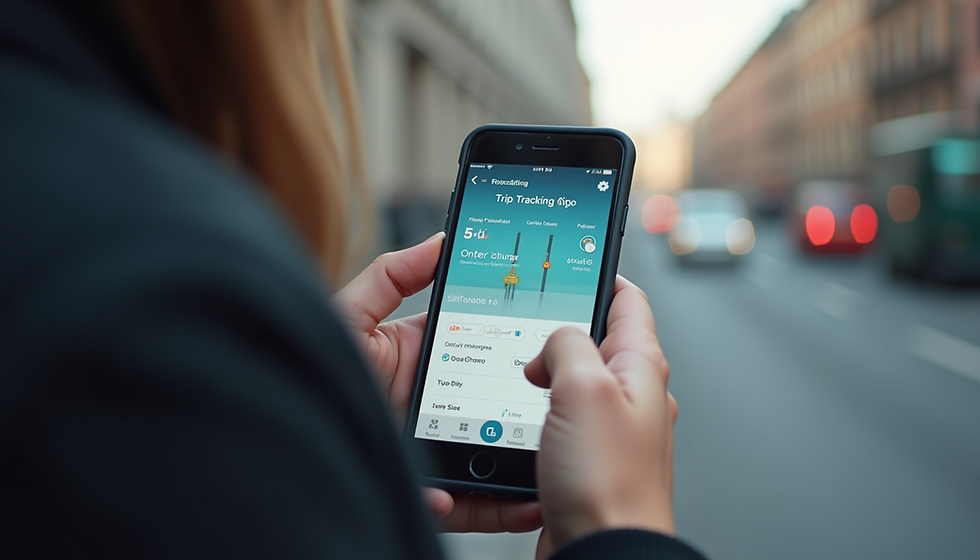
ScanXchange is a user-friendly app designed to help travelers manage their expenses effortlessly. With its intuitive interface, you can scan receipts, categorize expenses, and generate reports—all in one place. This tool is particularly beneficial for those who travel frequently and need to keep their finances organized.
Key Features of Scanxchange
Receipt Scanning: Simply take a photo of your receipt, and the app will extract the relevant information.
Expense Categorization: Automatically categorize your expenses into predefined categories such as lodging, meals, and transportation.
Real-Time Tracking: Monitor your spending in real-time, allowing you to adjust your budget as needed.
Report Generation: Generate detailed reports for personal use or for submitting to your employer.
How to Use ScanXchange for Travel Expenses
Using Scanxchange is straightforward. Here’s a step-by-step guide to help you get started:
Step 1: Download the App
First, download the ScanXchange app from your device's app store. It is available for both iOS and Android.
Step 2: Create an Account
Once downloaded, create an account using your email address. This will allow you to save your data securely.
Step 3: Start Scanning Receipts
Whenever you make a purchase, open the app and use the receipt scanning feature. The app will automatically extract the date, amount, and vendor information.

Step 4: Categorize Your Expenses
After scanning, categorize your expenses. You can create custom categories based on your travel needs, such as "Food," "Accommodation," and "Transportation."
Step 5: Monitor Your Spending
Regularly check the app to monitor your spending. This will help you stay within your budget and make informed decisions about your travel plans.
Step 6: Generate Reports
At the end of your trip, use the report generation feature to create a summary of your expenses. This can be useful for personal records or for submitting to your employer for reimbursement.
Tips for Efficient Expense Tracking
To make the most out of ScanXchange, consider these tips:
Scan Receipts Daily: Make it a habit to scan receipts daily to avoid backlog.
Set a Budget: Before your trip, set a budget for each category to help you stay on track.
Review Regularly: Take time to review your expenses regularly to identify areas where you can cut costs.
Benefits of Using ScanXchange
Using ScanXchange for tracking travel expenses comes with several advantages:
Time-Saving: No more manual entry of expenses; the app does it for you.
Accuracy: Reduces the chances of human error in recording expenses.
Convenience: Access your expense reports anytime, anywhere.
Real-Life Example: How ScanXchange Helped a Traveler
Consider the case of Sarah, a business traveler who frequently visits different cities for work. Before using ScanXchange, she struggled to keep track of her expenses, often losing receipts and forgetting to categorize her spending. After downloading the app, she found that she could easily scan her receipts and categorize them on the go.
During her last trip, Sarah was able to generate a detailed report of her expenses within minutes of returning home. This not only saved her time but also ensured that she received her reimbursement promptly.
Common Challenges in Expense Tracking
While tools like ScanXchange simplify expense tracking, travelers may still face challenges. Here are some common issues and how to overcome them:
Forgetting to Scan Receipts
It’s easy to forget to scan receipts, especially when you’re busy exploring a new place. To combat this, set reminders on your phone to scan receipts at the end of each day.
Misplacing Receipts
Physical receipts can easily get lost. By using Scanxchange, you eliminate this problem, as all your receipts are stored digitally.
Categorization Confusion
Sometimes, categorizing expenses can be confusing. Take a few minutes to define your categories before your trip to make this process smoother.
Conclusion
Tracking your travel expenses doesn’t have to be a hassle. With ScanXchange, you can efficiently manage your finances, allowing you to focus on enjoying your travels. By following the steps outlined in this post and utilizing the app’s features, you can take control of your spending and make informed financial decisions.
Next time you plan a trip, consider using Scanxchange to simplify your expense tracking. Happy travels!

Comments